The most important question in troubleshooting — and why "I didn't change anything" is rarely the whole story.
By Ron Colson
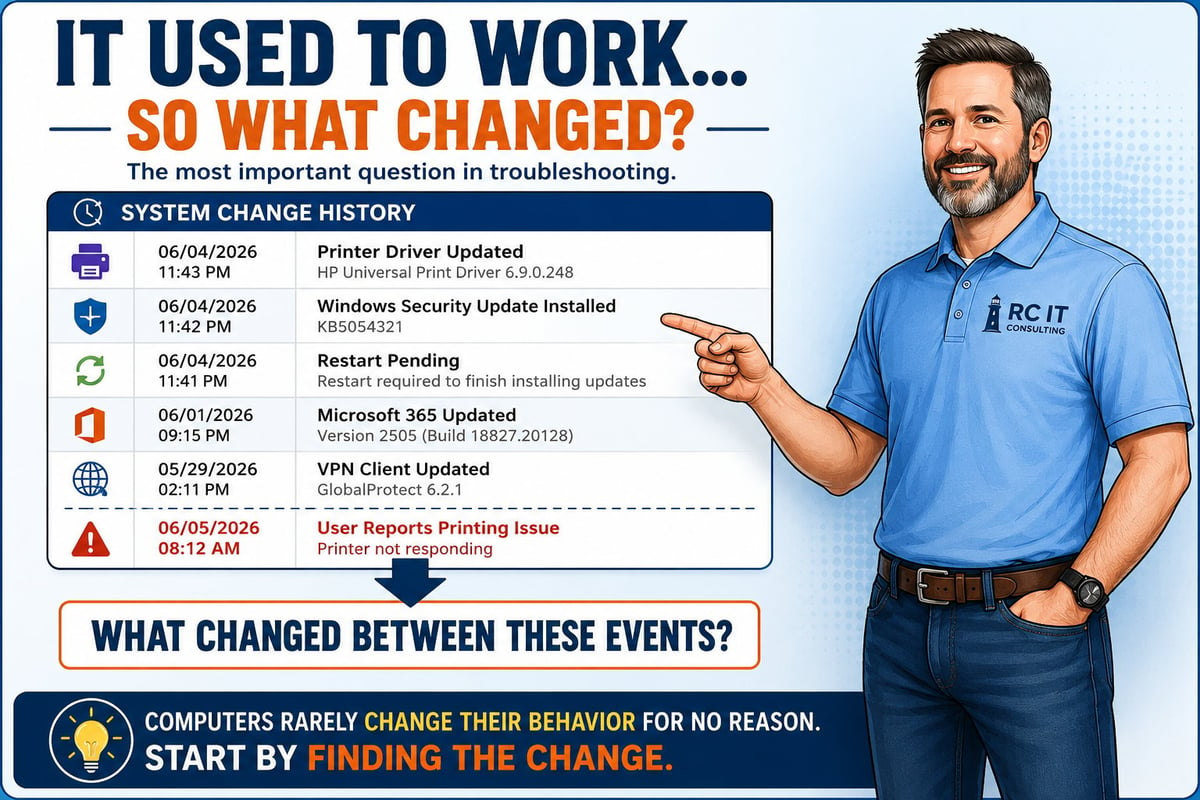
Click the image to view and download the full guide
One of the most common support requests I've received over the years starts something like this:
"It used to work."
"Now it doesn't."
"And I didn't change anything."
The truth is that computers rarely decide to behave differently for no reason.
Something usually changed.
The challenge is identifying what changed and whether it is related to the problem you're seeing.
When troubleshooting, one of the most useful questions is:
"When was the last time it worked correctly?"
That answer often narrows the investigation immediately.
Was it:
The shorter the timeline, the easier it usually is to identify potential causes.
"Modern systems are constantly changing behind the scenes — even when you're busy doing your actual job."
— RonBot

Most people mean exactly what they say. They personally didn't make any changes.
Unfortunately, computers don't care who made the change.
Modern systems are constantly changing behind the scenes. A computer that worked perfectly last week may have received:
...without the user actively installing anything.
In many cases, changes happen automatically while you're busy doing your actual job.
One of the reasons professional IT tools are so valuable is that they can track system changes over time.
When a problem appears, experienced technicians often start by asking:
"What changed between the last time it worked and the first time it didn't?"
That doesn't automatically identify the cause. However, it provides a very good place to start looking.
For example:
| Time | Event |
|---|---|
| Friday 8:00 AM | Everything working normally |
| Friday 11:42 PM | Windows Update installed |
| Friday 11:43 PM | Printer Driver updated |
| Saturday 9:00 AM | Computer restarted |
| Monday 8:15 AM | User reports printing problem |
Does this prove the printer driver caused the issue?
No. But it certainly deserves investigation.
"Changes leave clues. Updates leave clues. The trick is learning where to look."
Troubleshooting is often less about technical expertise and more about asking good questions.
Consider:
The answers frequently point toward the solution.
One of the biggest misconceptions about technology is that problems appear randomly.
While hardware failures do occur, most software and configuration issues have a cause.
Changes leave clues. Updates leave clues. New devices leave clues. Configuration changes leave clues.
The trick is learning where to look.
Before calling support, take a moment to think about what has changed since the last time things worked correctly.
You don't need to know whether the change caused the problem. You don't even need to understand what the change means.
Simply having a list of possible changes can dramatically reduce the time required to identify the issue.
The phrase "It used to work" is often the beginning of the solution.
— Ron Colson
RC IT LLC
Worked through the basics and still stuck? RC IT can help.