One of the most common questions I hear: "What should I try before I call you?"
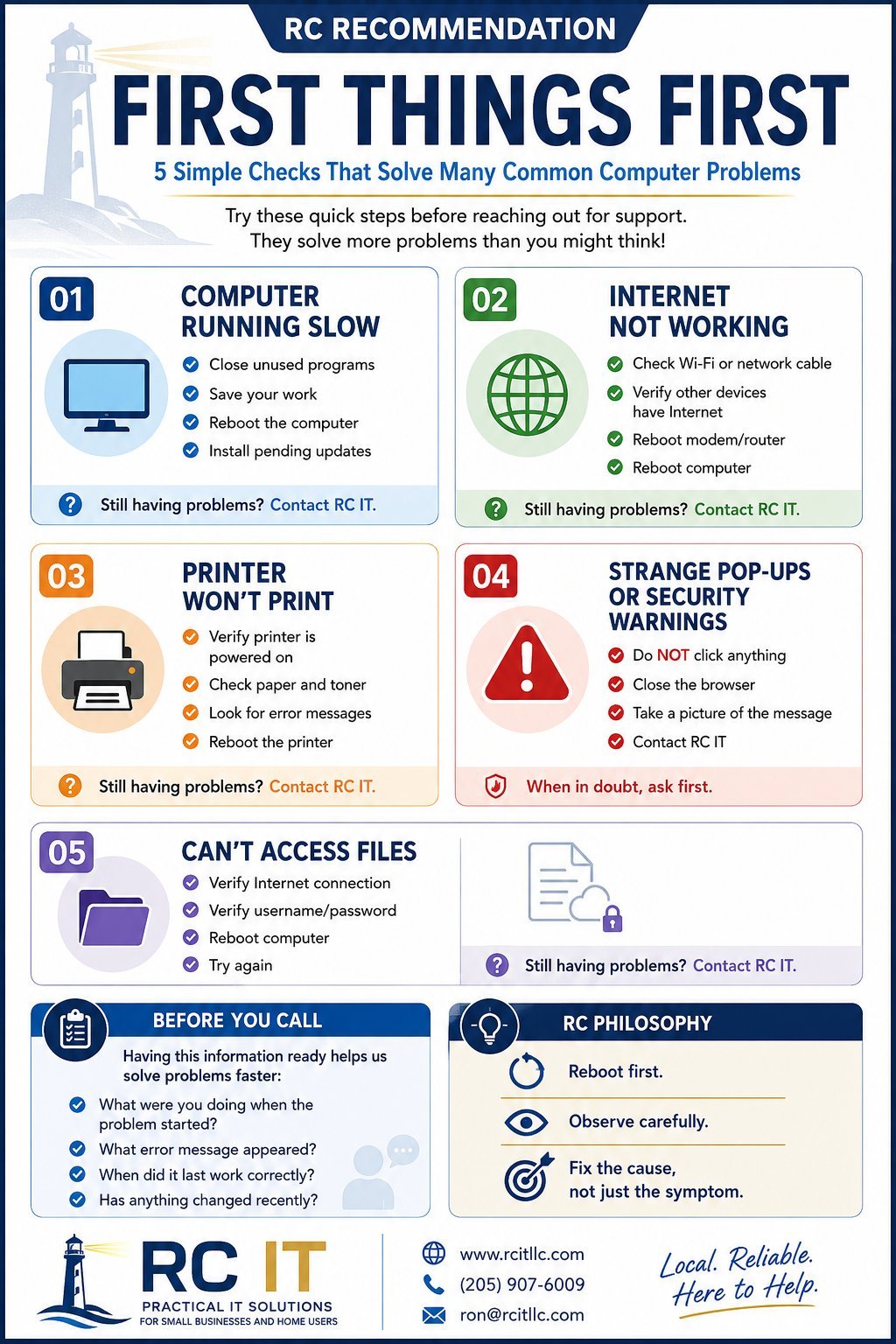
Click the image to view and download the full guide
One of the most common questions I hear is:
"What should I try before I call you?"
The answer may not be exciting, but it is surprisingly effective.
Over the years I've worked with organizations ranging from home users and small businesses to large enterprise environments. While the technologies change, one thing remains remarkably consistent:
Many computer problems can be resolved with a few simple checks.
That's the purpose of the RC Recommendation: First Things First guide.
I know. It sounds cliché. But there is a reason IT professionals ask whether you've restarted your computer.
Applications get stuck. Memory becomes fragmented. Updates sit waiting for a reboot. Network connections hang. Temporary files accumulate.
A reboot clears many of these issues and gives us a clean starting point.
If you remember only one thing from this article, remember this:
Save your work and reboot first.
Many problems turn out to be surprisingly simple. A loose network cable. A printer that has been turned off. A Wi-Fi connection that dropped. A password entered incorrectly.
The goal isn't to make anyone feel foolish. The goal is to eliminate the easy possibilities before spending time chasing more complex causes.
If you see a popup claiming:
Stop.
Do not click the popup. Do not call the number. Do not install anything.
Take a picture of the message and contact someone you trust.
Many of these warnings are scams designed to create panic.
One of the most helpful things you can do before contacting support is pay attention to what happened. Ask yourself:
Those answers often provide the clues needed to solve the issue quickly.
A good repair isn't simply getting things working again. The goal is understanding why the problem occurred in the first place.
Sometimes the fix is a reboot. Sometimes it's a failing hard drive. Sometimes it's outdated equipment, poor Wi-Fi coverage, a missing backup, or a process that needs improvement.
Finding the root cause prevents the same problem from returning.
Technology should help you do your job, not get in the way of it.
That's why I created the RC Recommendation series: practical advice that anyone can use.
Download the free First Things First guide, print it, hang it near your desk, and keep it handy.
And if those steps don't solve the problem, you know where to find me.
— Ron Colson
RC IT LLC
Print it, share it, keep it handy — First Things First is designed to be useful.